


Productivity Tools for Teams
Productivity tools have become essential for modern teams aiming to stay competitive, organized, and efficient in a rapidly evolving digital world. These tools are designed to simplify tasks, reduce workload, improve internal communication, eliminate manual errors, and ensure that every team member stays aligned with organizational goals. Whether a business is operating locally or managing remote teams across global locations, the right productivity tools enhance collaboration, streamline workflow processes, and create a structured environment where employees can thrive. This guide explores the most effective productivity tools and how teams can leverage them for measurable growth and operational excellence.
Why Productivity Tools Are Essential for Teams
Productivity tools are more than software solutions. They act as digital frameworks that keep work organized, minimize confusion, and help teams operate with clarity. In traditional environments, tasks are often assigned verbally, tracked manually, or scattered across emails and documents. This leads to inefficiency, miscommunication, and workflow delays.
Modern teams rely on productivity tools to centralize information. These platforms bring all tasks, deadlines, schedules, files, and communication under one unified system. When information is easily accessible, team members stay accountable and aligned with the overall objective. Leaders gain real-time visibility into progress, allowing them to make informed decisions quickly.
The biggest advantage of productivity tools is their ability to create consistency. Every workflow, project, and communication becomes structured. This not only saves time but also ensures that growing teams operate with increased accuracy and measurable efficiency.

Choosing the Right Tools for Team Productivity
Every team functions differently. Some focus on creative collaboration, while others manage operations, field services, development, consulting, logistics, or administrative tasks. The right productivity tool depends on workflow complexity, team structure, industry needs, and company objectives.
Before selecting a tool, evaluate the features your team requires. The most successful tools include task management, communication channels, project tracking, automation, cloud storage, time tracking, and reporting capabilities. The tool should simplify work, not complicate it.
Popular productivity tools include Notion, Slack, Trello, Asana, ClickUp, Monday.com, Google Workspace, Microsoft 365, and Airtable. Each offers unique strengths that suit different industries and team sizes. Scalability, ease of use, and integration with existing systems are critical for long-term success.

Task Management and Workflow Organization
Task management tools help teams break down projects into actionable steps. Organizing tasks into boards, lists, or timelines makes it easier to visualize progress and identify bottlenecks before they become issues. Teams can assign responsibilities, set deadlines, track updates, and monitor completion status with full transparency.
Productivity platforms like Trello, clickUp, and Asana support Kanban boards, Gantt charts, calendars, automation triggers, reminders, and labeling systems. These tools ensure that work remains structured, consistent, and easy to follow.
A well-organized workflow minimizes misunderstandings and ensures smooth transitions between stages. Every team member knows what to do, when to do it, and how their tasks contribute to the overall goal.
Communication and Collaboration Tools
Communication is the backbone of team productivity. Without clear communication channels, tasks become delayed, duplicated, or completely overlooked. Productivity tools designed for communication help teams stay connected regardless of location.
Platforms like Slack, Microsoft Teams, Google Chat, and Zoom enable real-time discussions, file sharing, video conferencing, and group collaboration. These tools reduce the need for excessive emails and ensure information flows smoothly throughout the organization.
Strong collaboration tools increase efficiency, build teamwork culture, and maintain consistent communication across departments.

Cloud Storage and File Management
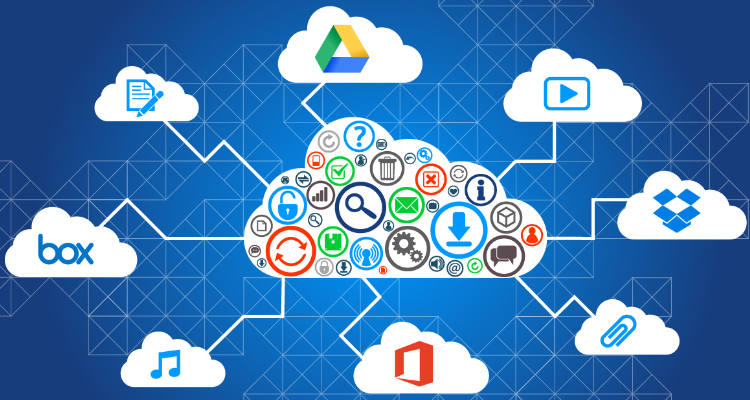
Cloud storage tools ensure that documents, files, images, and resources remain accessible from anywhere. They eliminate dependency on physical storage devices and prevent data loss due to hardware failure.
Tools like Google Drive, OneDrive, Dropbox, and Box allow teams to store files securely, collaborate in real-time, and share access without relying on email attachments. Cloud storage improves version control and keeps all project files up to date.
These platforms support efficient file organization, reduce redundancy, and maintain a streamlined working environment.
Time Tracking and Performance Monitoring
Time tracking tools help teams measure productivity, estimate workloads, manage billing hours, and plan tasks more effectively. These tools are especially useful for remote teams, service-based industries, freelancers, and consulting agencies.
Popular platforms like Toggl, Clockify, Hubstaff, and Time Doctor offer detailed reports, activity monitoring, project-based tracking, and scheduling features. Time tracking ensures accountability and helps leaders identify areas that require optimization.
With accurate insights, teams can make smarter decisions and maintain consistent performance.
Essential Productivity Categories
Task Management
Organize work into structured tasks with deadlines, priorities, and progress tracking.
Team Communication
Improve collaboration through chats, calls, and real-time discussions.
Cloud Collaboration
Share and manage files securely across global teams with cloud-based tools.
Integrating Productivity Tools Into Daily Operations
Productivity tools must be integrated properly to deliver maximum value. Businesses must ensure that all tools connect seamlessly with one another. This creates a unified digital ecosystem that simplifies workflow, improves transparency, and supports collaboration.
Integrations enable automated notifications, file syncing, task updates, and communication across multiple platforms. When tools are integrated effectively, team performance improves significantly.
Training Teams and Encouraging Adoption
A productivity tool is effective only when teams understand how to use it properly. Training ensures consistent usage, avoids confusion, and supports team collaboration. Offer guidance on tool features, communication rules, task updates, and data management.
Encouraging adoption builds a productive work culture where employees rely on digital tools to simplify their daily tasks and enhance performance.